To edit your AgentID Site bio, visit your AgentID Site Dashboard, which you can access from the homepage in your Paperless Agent Dashboard.
Here, you will see where to input your bio. Here is a checklist we created to help you with this. You could also use AI or our AI Studio to help you with this as well.
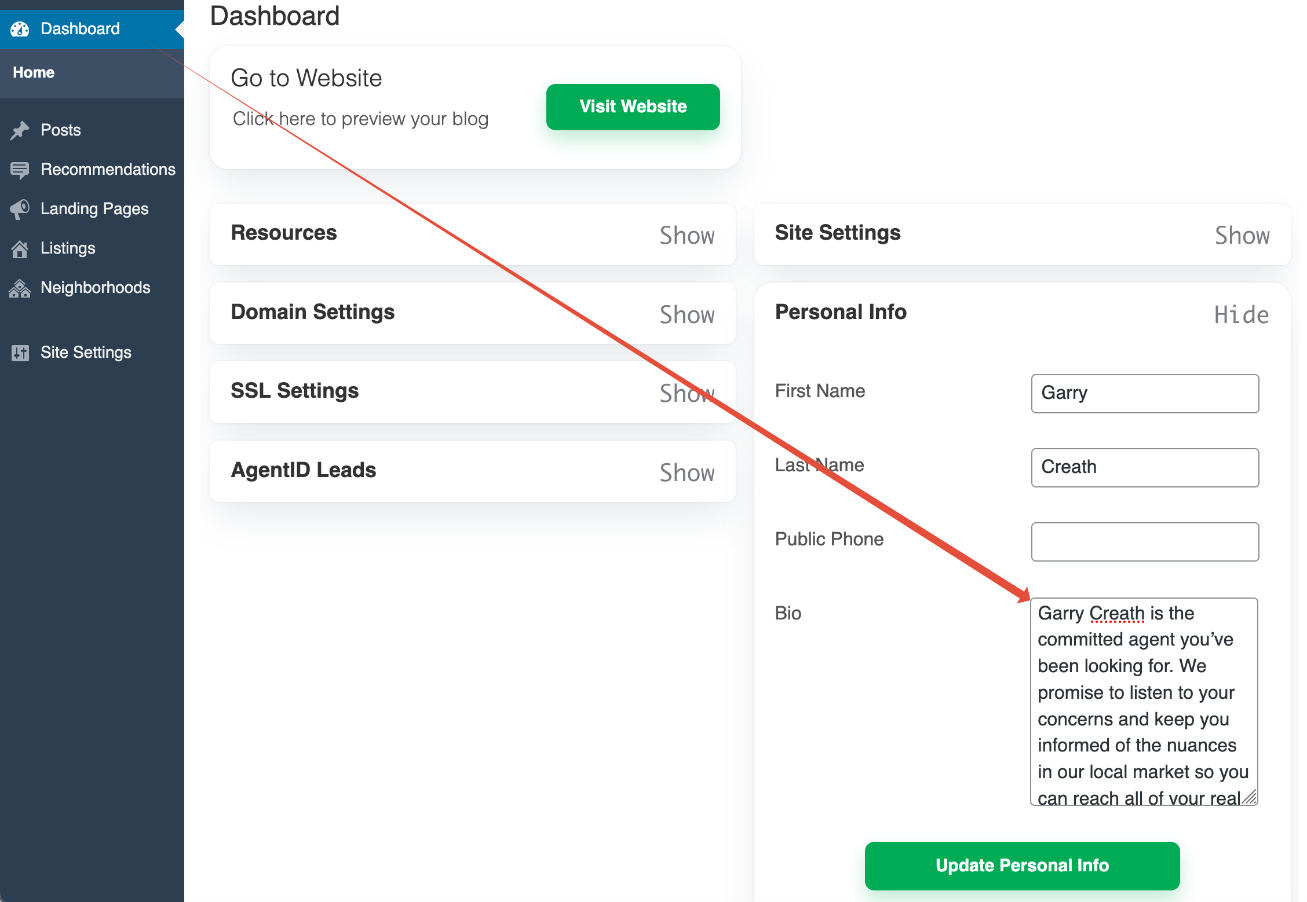
When you have edited your bio to your liking, click 'Update Personal Info'. Please allow up to 30 minutes for your new bio to appear on your AgentID Site.
If you have any questions or issues, just send us an email at support@thepaperlessagent.com, and we will be happy to help you!
Was this article helpful?
That’s Great!
Thank you for your feedback
Sorry! We couldn't be helpful
Thank you for your feedback
Feedback sent
We appreciate your effort and will try to fix the article