Our AgentID Sites were designed to create an elegant, simple presence on the Internet to complement your other websites, social media accounts, and anywhere else you show up online. They're the perfect solution for real estate professionals who don't have a website yet, or don't have one that they have much control over. Best of all, the AgentID Sites are included for FREE in your monthly Marketing Club subscription.
Setting up your AgentID Site takes just minutes. The site will auto-create upon clicking it for the first time. You can just upload a picture and make some edits, and you're done!
Once you are logged into your Dashboard, click the "Access My Website" tab on the homepage.
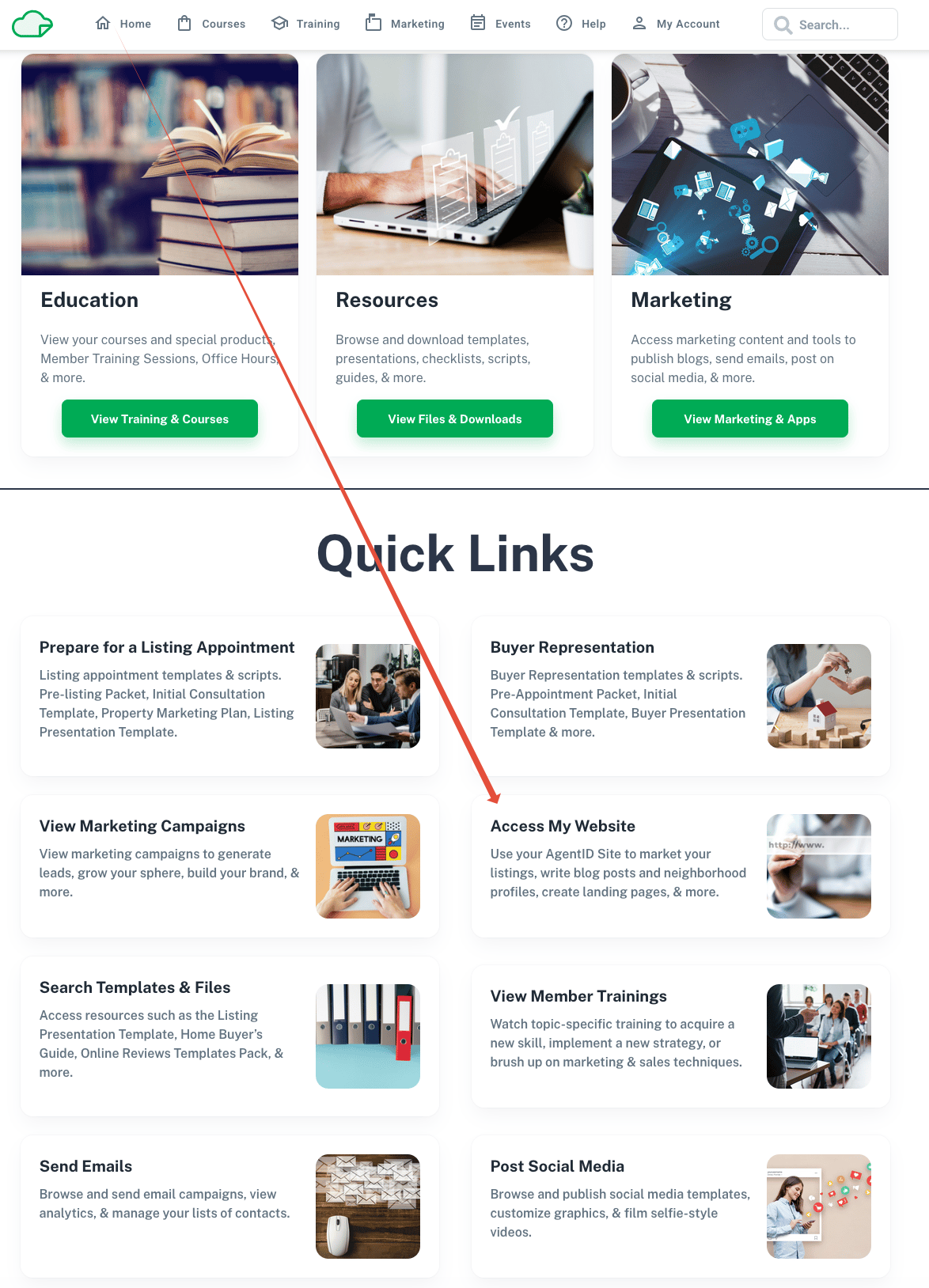
You can always make changes to your information on the AgentID Site, but it does auto-populate some of it for you.
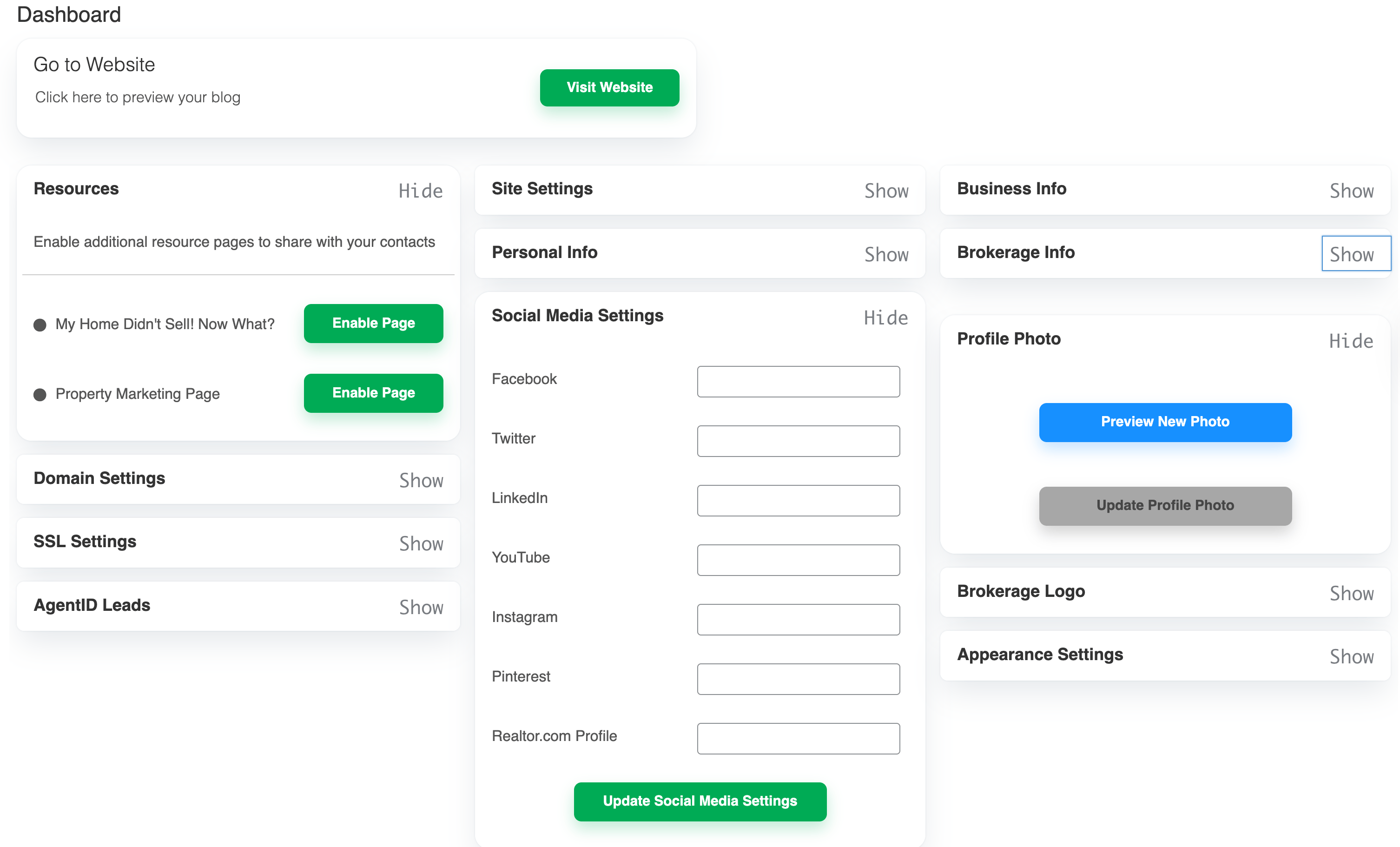
Need help crafting an awesome bio? Check out these resources:
Updating Your AgentID Site Bio
A Note on Appearance Settings/Theme Color
The AgentID Sites are a template, which means they will all have the same basic look. The theme color is an accent to that, and is what people will see when they hover over links on your site, for example.
Why Connect Your Social Media Profiles?
Connecting your social media accounts to your AgentID Site has two major benefits:
- SEO - Social media platforms like Facebook and Instagram are credible and recognized sources of information about people and businesses. Because of this trust, search engines like Google put a lot of stock into the data they provide. Connecting your social media accounts to your AgentID Sites is the fastest way for Google to start acknowledging your site as an authority on your identity, which is crucial to getting your AgentID Site to show up on the first page of search results when people look for you online.
- Social Proof - Social proof is a powerful marketing tactic that you see everywhere in your daily life: online reviews to the side of an online order form or comments on an advertisement, for example. Having your social media accounts on your AgentID Site is a form of social proof for site visitors, demonstrating that you're a real person and providing them with additional avenues for learning about you to evaluate if they should see you as a reliable source of real estate information.
Visitors to your site will be able to access the social media profiles you add here via icons on your site, so make sure the links you include here are to profiles that represent you and your business well. We recommend a Facebook Business Page that has your name, for example.
And if you don’t use a social media platform listed here, that’s okay!
Need to update your social media links on your AgentID Site? Click here:
(Optional) Choosing a Custom Domain Name
You can choose whether you want to use what’s called a “subdomain” or a “root domain.” We have several articles in the Help Center to help you understand the difference between these two options and decide which one is right for you.
Subdomain and Root Domain Differences
How-To Purchase A Domain & Domain Name Tips
If you’re at all unsure, we highly recommend using the subdomain option to start. It’s free, quick, comes with AI SEO, a free SSL, and you can change it later.
Next Steps
How to Add Recommendations to Your AgentID Site
Publish a Blog Post from the Monthly Value Program Archive
How to Post a Listing to Your AgentID Site
Was this article helpful?
That’s Great!
Thank you for your feedback
Sorry! We couldn't be helpful
Thank you for your feedback
Feedback sent
We appreciate your effort and will try to fix the article