You can access your Paperless Agent invoices by following the steps provided below:
1. Sign In to your Paperless Agent Dashboard
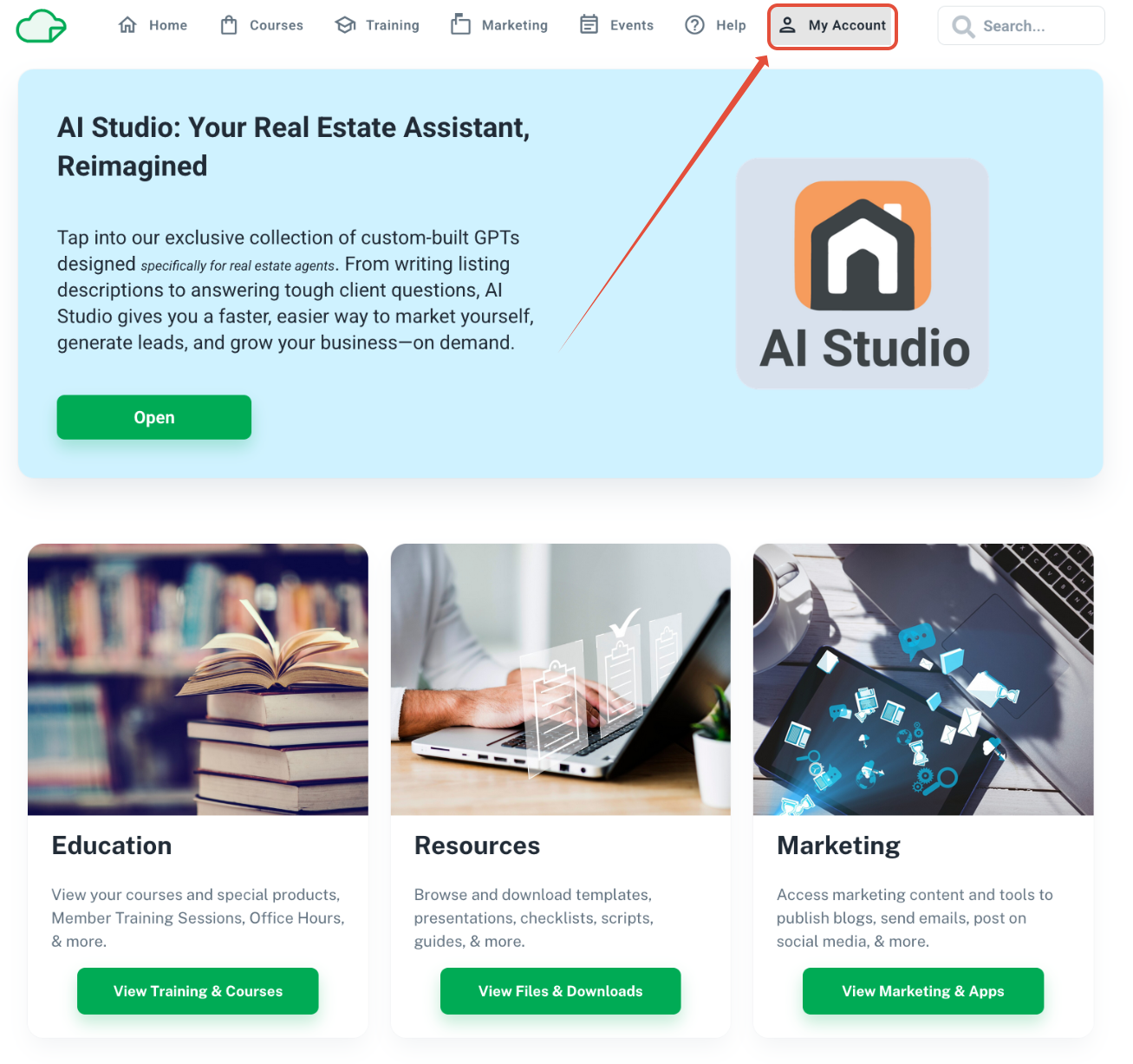
2. Locate the My Account tab at the top of the page
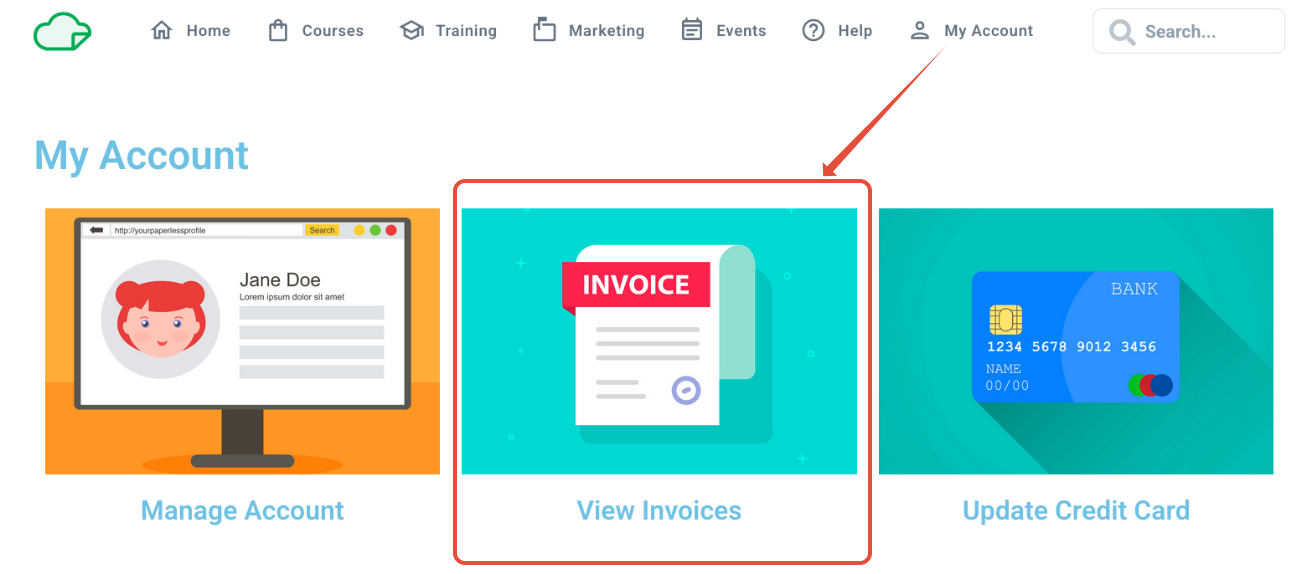
3. Select 'View Invoices'
Was this article helpful?
That’s Great!
Thank you for your feedback
Sorry! We couldn't be helpful
Thank you for your feedback
Feedback sent
We appreciate your effort and will try to fix the article